

Introduction
The way we work on the web is changing fast. Every day, we research, write, analyze, compare, and communicate directly through our browser. But most AI tools that offer help online come with a trade-off: better productivity at the cost of your personal data and privacy. Helix AI changes this equation.
Designed and engineered by A S Codelabs, Helix AI is a privacy-first browser assistant that understands the page you're on, responds instantly, and helps you work smarter without sending your sensitive information to unknown servers. Whether you're reading articles, drafting content, analyzing visuals, or studying documentation, Helix AI stays right inside the browser to support your workflow — securely and intelligently.

The Core Philosophy: Productivity Meets Uncompromised Privacy
The most significant differentiator for Helix AI is its staunch commitment to user privacy. In a marketplace where many AI tools operate as data conduits, Helix AI stands out by architecting its solution to minimize external data exposure.
According to the developer's declarations, the extension's architecture leverages the browser's built-in APIs and features a Privacy First design. This commitment translates into tangible security benefits:
- 1. No External Servers for Context: Crucially, the system uses built-in browser APIs and mechanisms to process webpage context, meaning your interaction data and the content of the pages you are analyzing often do not pass through external, proprietary servers.
- 2. Data Minimization: The developers have explicitly stated that your data is not being sold to third parties and is not being used or transferred for unrelated purposes.
- 3. User Control: By focusing on on-device or locally-processed interactions, Helix AI provides the peace of mind necessary for professionals handling sensitive research, documents, and corporate information.
The Hybrid Engine: Unlocking Contextual Intelligence and Flexibility
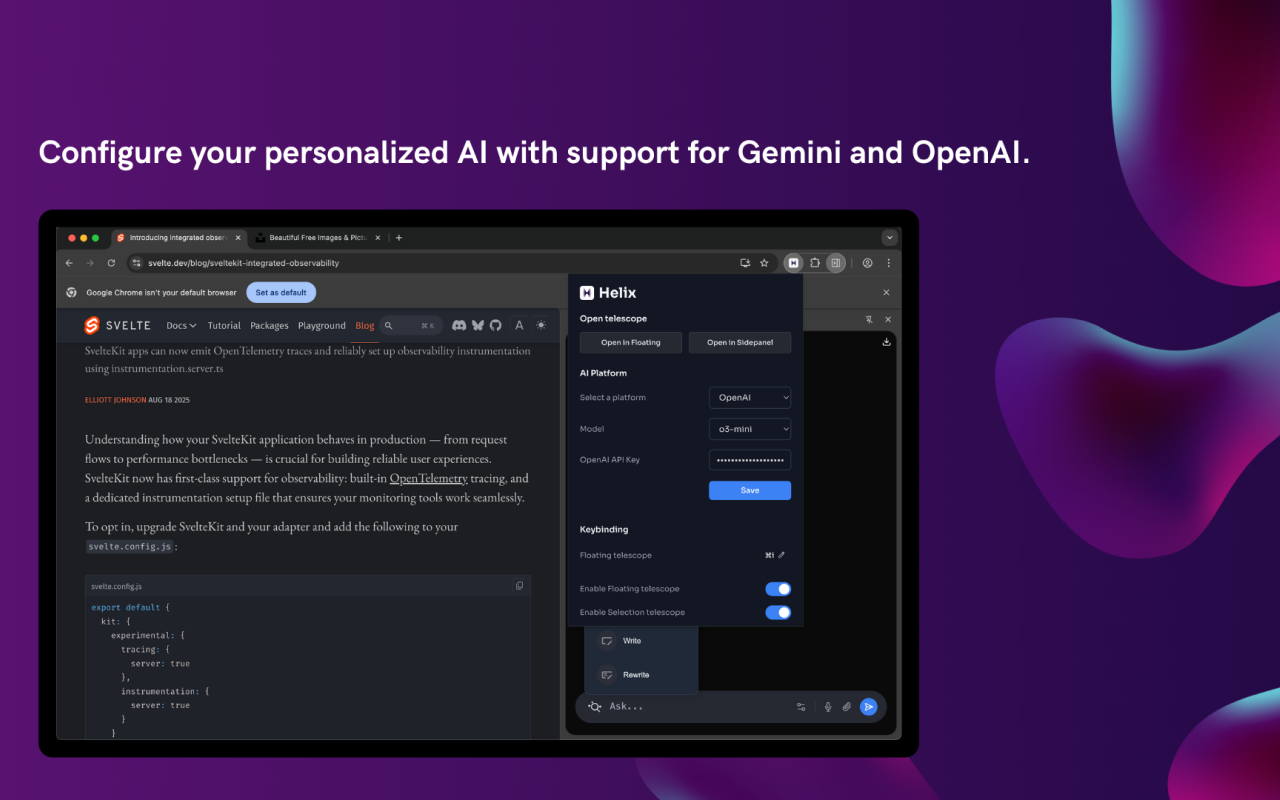
Helix AI moves beyond the limitations of single-model extensions by offering a true Hybrid AI Model. Users are not locked into one specific large language model (LLM); instead, they have the unprecedented flexibility to choose the best engine for the task at hand.
The extension is engineered to integrate with industry-leading models, including:
- Built-in Browser AI (Leveraging efficient on-device processing).
- Gemini
- OpenAI (ChatGPT)
- Claude
This powerful selection allows users to dynamically switch between models to leverage the unique strengths of each—be it the cutting-edge reasoning of Gemini, the creative generation of ChatGPT, or the expansive context windows of Claude—all within a single, unified interface.
The Power of Context
At its functional core, Helix AI excels at Context-Aware Chat. When you open the extension, it is instantly aware of the active webpage, allowing you to:
- Ask Questions about any section of the document, article, or research paper.
- Summarize long articles instantly, extracting key sectioned points based on tone and desired length.
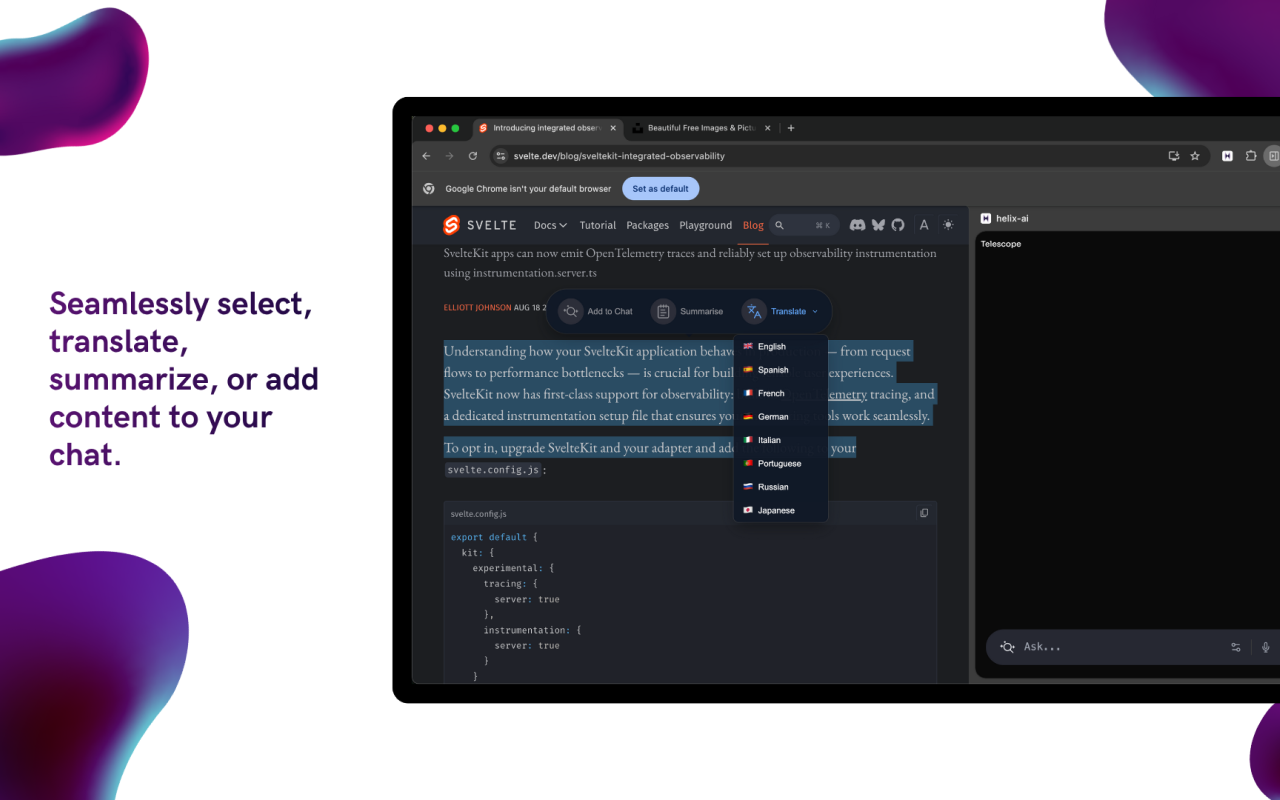
- Translate entire pages or selected paragraphs with automatic language detection.
- It transforms the passive act of browsing into an active research session.
The Four "Telescopes": A Unified, Adaptable User Experience
Recognizing that a single interface doesn't fit every workflow, Helix AI introduces four distinct UI "Telescopes," each designed for a specific mode of interaction, ensuring the AI assistant is always available but never intrusive:
- The Selection Popup:For instant, frictionless action. Highlight any text on a page and a small popup instantly appears, offering immediate commands like summarize, prompt, rewrite, explain, or translate. It's the micro-tool for quick, contextual edits and analysis.
- The Floating Telescope:A movable mini-console that stays on top of your content. This is the quick prompt engine, perfect for iterative tweaks, running small snippets of code, or generating text without losing sight of your primary task.
- The Sidepanel Telescope:The persistent workspace. This is the clean, focused hub where all the extension's settings, history, and persistent chats live. It maintains context for the current active tab, making it ideal for in-depth research sessions.
- The Writer Popup:A dedicated drafting space focused solely on content creation. Use it to compose emails with tone options, draft professional blog posts, or craft social media replies, all powered by your chosen AI model.
Beyond Text: Masterful Workflow and Visual Analysis
Helix AI extends its utility far beyond text manipulation, tapping into complex features essential for modern digital work:
- Image Analysis:Upload screenshots, diagrams, charts, or UI mockups. Helix AI can interpret visual content, extract text, analyze design elements, and explain complex infographics.
- Code Assistance:For developers, the extension becomes an invaluable debugging companion. Highlight code snippets on GitHub, Stack Overflow, or documentation sites, and get instant explanations, optimizations, or error diagnostics.
- Multi-Tab Context Switching:Helix AI intelligently adapts to your active tab, ensuring the conversation is always relevant to the page you're viewing.

Conclusion: The Future of Intelligent Browsing
Helix AI represents a new paradigm in browser-based productivity tools. It combines the flexibility of a multi-model AI platform, the convenience of context-aware assistance, and the assurance of a privacy-first architecture.
For professionals, researchers, developers, and content creators who refuse to compromise on either productivity or privacy, Helix AI offers a sophisticated, seamless solution that transforms the browser into an intelligent workspace.
In an era where digital intelligence is becoming essential, Helix AI doesn't just keep pace—it leads the way, proving that advanced AI assistance and user privacy can coexist harmoniously.
Try Helix AI Now
Experience the next generation of browser intelligence. Install Helix AI today and transform the way you work online.
Install Helix AI Extension